

Co-Pilot Billing Changes and Cost Optimization
Co-Pilot Billing Changes and Cost Optimization
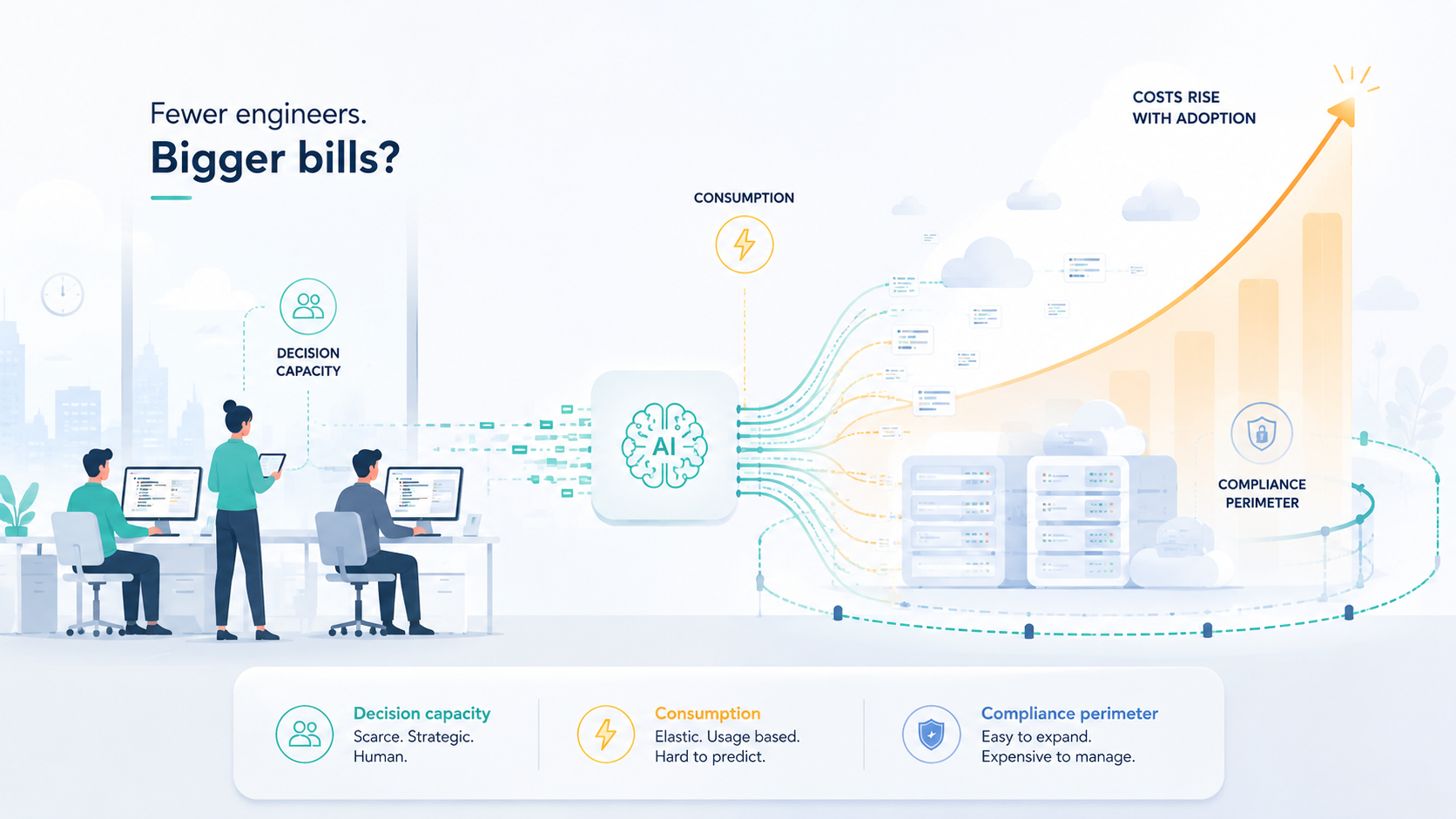
The Flat-Rate Era of AI Coding Is Over. Most Engineering Budgets Haven't Noticed Yet.
On June 1st, GitHub Copilot quietly ended one of the best deals in software: unlimited AI assistance for a flat monthly fee. Every plan now runs on usage-based billing: your $10 or $39 subscription buys you that many dollars of AI credits, metered per token, and when they're gone, the meter starts running for real.
The developer forums did the arithmetic within days. A single agentic coding session (the kind where the AI works across your repository, plans a change, and executes it) routinely burns $30 to $40. A Copilot Pro subscriber's entire monthly allotment, gone before lunch on day one. Heavy users report monthly bills jumping from $39 to over $800.
And Copilot is just the tool that made it visible. Uber rolled out Claude Code to roughly 5,000 engineers and exhausted its entire annual AI tooling budget in about four months. Gartner published a forecast in June that AI coding costs will surpass the average developer's salary by 2028. Read that again: the tool may soon cost more than the person using it.
I know because it happened to me. Last year AI coding tools were a rounding error in our budget: $19 a seat, approve and forget. This quarter our CFO asked engineering to explain one of the fastest-growing lines in the budget, and honestly, we didn't have a good answer. We got our way anyway; right now the hype does the arguing for us, and nobody wants to be the executive who defunded AI. But hype is not a cost model. The day that question comes back with a spreadsheet attached, "everyone's doing it" won't survive contact with finance, and that day is coming for all of us.
We have seen this movie before. And knowing the ending is an advantage.
This Is Cloud Billing, Circa 2013, All Over Again
When engineering organisations first moved to AWS, the pitch was the same shape: pay for what you use, cheaper than what you had. And for a while it was. Then teams discovered that "pay for what you use" really means "pay for what you forget to turn off." Bills tripled without anyone making a decision to spend more. Nobody could say which product, team, or feature the money went to. An entire discipline, FinOps, had to be invented to bring cloud spend back under management.
Token-based AI billing is the same transition at higher speed, with one subtle, and might I say aggravating, difference: the spend is driven by individual developer behaviour, minute by minute, not by infrastructure decisions made in architecture reviews. An engineer who lets an agent loose on a large refactor makes a $40 spending decision without ever seeing a price tag. Multiply by a 30-person team having a normal week, and you've built a five-figure monthly line item out of nobody's explicit choices.
The unit prices, ironically, keep falling; intelligence per token is cheaper than it has ever been. Total spend rises anyway, because usage is growing faster than prices drop. That's exactly the cloud curve. Cost per compute-hour fell for a decade while every company's cloud bill went up.
The lesson from that era isn't "don't use the cloud." Companies that panic-restricted cloud usage lost years to their competitors. The lesson is that consumption-based resources demand a management discipline that seat licenses never did, and the companies that built that discipline early got the upside without the bill shock.
Learning to Read the New Bill
Before you can manage this spend, you have to be able to read it, and the bill now speaks a new language. Here's Copilot's vocabulary, translated:
| Copilot's term | What it actually means |
|---|---|
| AI credit | The billing unit. 1 credit = $0.01. Your subscription buys a monthly allotment: Pro gets 1,500 credits ($15 of usage), Pro+ gets 7,000, Business gets 1,900 per user and Enterprise 3,900, pooled at the enterprise level. Run out, and you either buy more or stop. |
| Token | The unit of metering: roughly three-quarters of an English word, or a few characters of code. Everything you send and everything the model writes back is counted in tokens. |
| Input tokens | Everything sent to the model: your question, the files it's reading, and the entire conversation so far, which gets re-sent on every turn. This is why agent sessions get expensive: the context snowballs. |
| Output tokens | Everything the model writes back. Priced at roughly 5× the input rate, because generating text costs more compute than reading it. |
| Cached input | Context the model has seen before, re-read at a ~90% discount. Agents re-read the same repository context constantly, so this is usually the biggest line on an agentic bill, and also the cheapest. |
| Premium requests / multipliers | The old system. Gone for everyone except legacy annual plans. If your team's mental model of Copilot cost is "requests," it's out of date. |
| Code completions | Free. Completions and next-edit suggestions don't consume credits on any paid plan. |
| Actions-hosted features | Copilot capabilities that run on GitHub Actions (the cloud coding agent, for instance) also bill Actions minutes at standard rates. Two meters on one feature: AI credits for the tokens, Actions for the compute. |
With the vocabulary in place, the model comparison becomes readable. Here's what Copilot currently charges for the two Claude Sonnet models, per million tokens:
| Meter | Claude Sonnet 4.6 | Claude Sonnet 5 (promo until Aug 31) |
|---|---|---|
| Input | $3.00 (300 credits) | $2.00 (200 credits) |
| Cache write | $3.75 (375 credits) | $2.50 (250 credits) |
| Cached read | $0.30 (30 credits) | $0.20 (20 credits) |
| Output | $15.00 (1,500 credits) | $10.00 (1,000 credits) |
Inverted, that tells you what a single credit actually buys:
| Meter | Sonnet 4.6: 1 credit buys | Sonnet 5: 1 credit buys |
|---|---|---|
| Input | ~3,333 tokens | 5,000 tokens |
| Output | ~667 tokens | 1,000 tokens |
| Cached read | ~33,333 tokens | 50,000 tokens |
| Cache write | ~2,667 tokens | 4,000 tokens |
To make that tangible: on Sonnet 4.6, one cent buys roughly 2,500 words read fresh, 500 words written, or 25,000 words re-read from cache. A Pro subscriber's 1,500 monthly credits therefore translate to about 5M fresh input tokens, or 1M output tokens, or 50M cached ones. In practice every session is a blend of all three, weighted heavily toward cache, which is why the cached-read line dominates agentic bills and why the discount on it matters more than the headline input price.
On the price sheet, Sonnet 5 looks like a third cheaper across every meter. But the price sheet hides a variable: the two models don't count tokens the same way. Sonnet 5 uses a newer tokenizer that splits the same text into roughly 30% more tokens, which claws back most of the discount. Here's what that does to a real workload, a heavy agentic session where the agent plans a multi-file refactor, edits, runs tests, and iterates:
| What's metered | Sonnet 4.6 | Sonnet 5, same work |
|---|---|---|
| Fresh input (files, prompts) | 4M tokens · $12.00 | 5.2M tokens · $10.40 |
| Cache writes (storing context) | 2M · $7.50 | 2.6M · $6.50 |
| Cached reads (re-reading context) | 30M · $9.00 | 39M · $7.80 |
| Output (code, explanations) | 400K · $6.00 | 520K · $5.20 |
| Session total | $34.50 (3,450 credits) | $29.90 (2,990 credits) |
One session: $34.50 on Sonnet 4.6, $29.90 on Sonnet 5. The model that's 33% cheaper on paper saves you about 13% in practice, and either way a single refactor eats two months or more of a Pro subscriber's entire monthly allotment. This is the arithmetic behind the forum outrage, and it's also the arithmetic your finance team needs to see, because "we pay $10 a seat" and "one refactor costs $34.50" are describing the same product.
Two footnotes before these numbers harden into policy. The Sonnet 5 rates are promotional and change after August 31, so the 13% gap may shrink or flip; re-check the sheet. And tokens are an input cost, not an outcome cost: if the newer, more capable model solves the task in fewer iterations, the real saving per delivered change is bigger than the per-session math suggests. Which is the real lesson: under usage billing, you can't compare models by price sheet. You run your own workload on both and compare the bills.
The Three Mistakes I'm Watching Teams Make Right Now
Mistake one: managing the tool list instead of the usage pattern. The instinctive response to bill shock is to cancel tools or ban the expensive ones. But the spend problem isn't which tools you allow; it's that nobody has distinguished between high-leverage and low-leverage token burn. An agent autonomously executing a well-scoped migration is expensive and worth it. An agent burning $35 exploring a question the engineer could have answered with one grep is expensive and wasteful. Same tool, same price, completely different return. A ban treats both identically, and so does an unlimited rollout.
Mistake two: expecting visibility alone to change behaviour. The cloud-era playbook says make spend visible and engineers will self-correct. It's only half true, and Copilot has already run the experiment: token usage sits right there in the dashboard, and behaviour hasn't moved. Humans take the path of least resistance, and the path of least resistance is letting the agent read the whole repository. What actually changes behaviour is a constraint paired with a way to respond to it. Tighten the grip first: per-user token caps are a checkbox in Copilot's admin settings now. Then, in the same breath, hand developers the resources to live inside the cap: which prompting patterns burn credits, when a plain code search beats a $35 agent run, and tooling that shrinks what the model reads in the first place. Codebase indexes like graphify answer repository questions with a small, scoped slice of context instead of raw file dumps; context-trimming plugins like Caveman cut what gets sent to the model on every request. A cap without resources is just rationing, and resources without a cap stay on the shelf. Together, the cap creates the incentive and the tooling makes it cheap to follow, and developers start finding their own token optimisations, which is the behaviour you wanted all along.
Mistake three: measuring cost per seat when the question is cost per outcome. "We spend $400 per engineer per month on AI" is not, by itself, information. Four hundred dollars against what output? If agentic tooling lets a team ship a feature two weeks earlier, the tokens were the cheapest input in the building: a fraction of a percent of fully-loaded engineering cost in any market, and salaries in Dubai and Singapore make that arithmetic even more lopsided. The number worth tracking is the cost per merged change, or per delivered feature, trended over time. That's what tells you whether spend is scaling with output or just with enthusiasm.
What a Sane Setup Looks Like
None of this requires a procurement committee. For a mid-sized engineering team, the workable version is roughly this:
Budgets set where the work happens, attached to the work rather than the person. The tooling for this quietly got good. A GitHub org admin can set spending budgets with alert thresholds in the billing settings, and (this is the part most teams miss) scope them to cost centers that group repositories, not just users. That distinction matters. A per-user budget tells you who spent; a repo-scoped budget tells you what the spend built. Put the payments-service repos in one cost center and the internal-tools repos in another, and suddenly the AI line item maps to products, which is the shape finance actually wants it in. Budgets can alert or hard-stop at the ceiling; I'd start with alerts. The point isn't to halt work; it's that overruns become conversations instead of surprises.
"You miss 100% of the tokens you don't spend." - Wayne Gretzky - Michael Scott
There's a second lever hiding in the same settings: credits pool at the business/enterprise level, but admins can cap individual users, and a capped user is blocked even while pooled credits remain. That combination is more useful than it sounds. A generous shared pool with sensible per-person caps means no single runaway session drains the team's month, and raising someone's cap becomes a simple conversation ("what are you running that needs it?") rather than a procurement request. It's rate limiting for humans, and it works for the same reason it works for APIs. And the lever turns both ways: users who consistently spend fewer credits can have their caps trimmed, and the reclaimed headroom flows back into the pool.
Dedicated accounts for dedicated jobs. Here's a trick borrowed from cloud cost management: give your highest-volume recurring AI job its own identity. We're experimenting with a service account that does exactly one thing: AI code review on every pull request. Its entire monthly bill divided by PRs reviewed is the cost per review, straight off the invoice, no attribution gymnastics. (If the job runs on GitHub Actions, fold those minutes in too; the credits alone understate it.) It also caps the blast radius: if review costs spike, that account's budget trips, not some engineer's. Any recurring, well-defined job (review, test generation, changelog drafting) is a candidate for the same treatment, and each one you split out makes the remaining "humans using AI interactively" number cleaner too.
A cheap default, an expensive escalation. Code completions are still effectively flat-rate; under Copilot's new model they don't consume credits at all. The costly resource is agentic work. Treat them differently: completions for everyone always, agents as a deliberate choice for tasks that justify them. Most teams will find a small set of task types (migrations, large refactors, test backfills, well-specified features) where agents pay for themselves many times over, and a long tail where they're a luxury.
One person who owns the number. Not a gatekeeper, an owner. Someone who reviews the monthly spend, spots the patterns, and moves the guidance. Cloud costs stopped being scary when they became somebody's job. AI spend is the same size problem acquiring the same solution.
A quarterly cost-per-outcome review. Spend divided by shipped output, compared against last quarter. If both are rising together, you're scaling. If spend is rising alone, you've found next quarter's work.
Adapt your KPIs and OKRs for AI-assisted delivery. This is the one I'm still working through myself, so I'll pose it as a question: have your metrics kept up with your tooling? My team now ships in two days features that used to take five. That should be an unambiguous win, except my dashboards still celebrate lead time, and lead time just stopped meaning what it meant six months ago. When AI compresses delivery speed for everyone, "we got faster" is table stakes, not performance. So what replaces it? Cost per delivered outcome? Rework rate on AI-assisted changes? Something else entirely? I suspect every engineering leader reading this has at least one metric that quietly broke this year and is still on the dashboard. Finding it is probably worth more than any budget alert.
The Uncomfortable Part
The flat-rate era trained a generation of teams to treat AI assistance as free at the point of use. That era lasted roughly three years, and it's not coming back. The economics of frontier-model inference never supported it, and the vendors have stopped pretending otherwise.
What happens next will split engineering organisations the same way cloud did. Some will respond with bans and rationing, and quietly hand back the productivity they'd gained. Some will keep the taps open with no meter, and fund the vendors' margins with waste. And a smaller group will do the boring thing: make the spend visible, tie it to outcomes, and treat tokens as what they now are, a metered production input like compute or bandwidth.
The tools aren't getting cheaper per month. They're getting more capable per dollar. Those are different statements, and the gap between them is where engineering budgets go to die, or where the disciplined teams find their edge.